

Skip the gradebook.
Auto-graded HSK 1 drills with instant student insights - built for Mandarin teachers.
Why teachers use MyHSK
Assign with a code
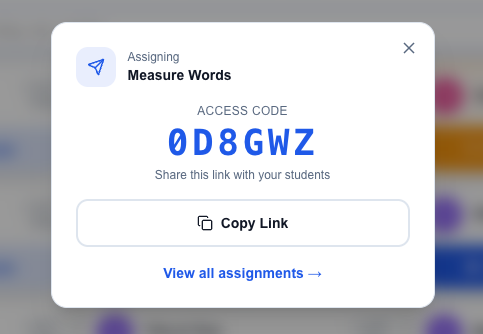
Share a 6-character code. Students sign in, enter the code, type their name, and start the drill - no rosters to set up, no usernames to manage.
Every assignment gets its own code and short link. Drop it in Google Classroom, Canvas, Schoology, Notion, an email, or write it on the board - students join from any device, no LMS integration required.
Each student's results route back to your dashboard automatically. No spreadsheets, no CSV exports, no reconciling who took what.
Auto-graded results
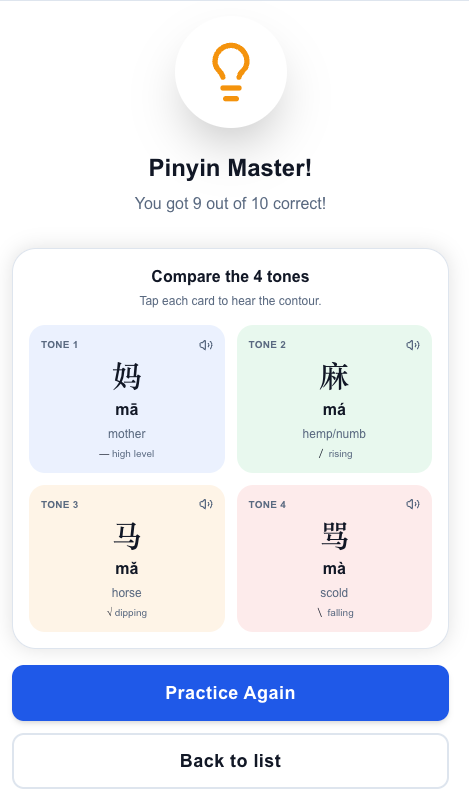
Pinyin, vocabulary, grammar, listening, mock tests - every drill scores itself. Students see results instantly. You don't grade anything.
Multiple-choice and matching are checked against the answer key. Pinyin drills validate tones and spelling. Listening drills check comprehension. Every question type has its own grader built in.
Students see a celebratory completion screen with their score and which questions they missed - they can practice again or move on. Either way, the result is logged.
Real-time insights
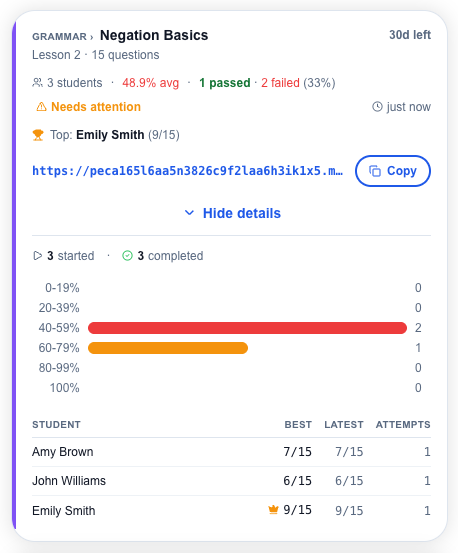
Watch attempts roll in as students finish. See per-student scores, leaderboards, and which questions tripped up the class.
The dashboard updates as your class works. Refresh after the period and see who completed the drill, what they scored, and how long it took.
Drill into individual attempts to see exactly which questions each student missed. Spot a pattern across the class? Plan tomorrow's lesson around it.
Create your own drills
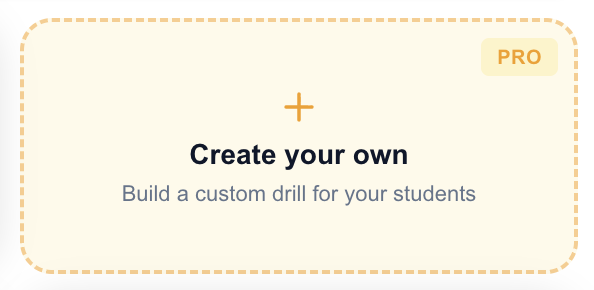
Don't just assign ours - with Pro, build custom drills for your class, then share them with the same code flow.
Type the hanzi and generate pinyin in one click. Your drill auto-grades and reports back to your dashboard exactly like our built-in content - assign it, track it, and see per-question results.
- Vocabulary flashcards - two-sided cards with hanzi, pinyin, and meaning.
- Grammar multiple-choice - a question with options and an answer key.
- Pinyin drills - students pick the correct pinyin for a character.
- Sentence builder - students arrange word tiles into the correct sentence.
Look for the 'Create your own' card on any of these hubs, with more on the way.
How it works
Pick or build a drill
Browse the HSK 1 library - vocabulary, pinyin, grammar, listening, mock tests - or, with Pro, create your own drill from the 'Create your own' card on a hub.
Share the code
Click Assign. Get a shareable code and link. Drop it in your LMS, email, or write it on the board.
See results live
Open your teacher dashboard. Every attempt is logged with score, time, and answer-by-answer detail.
How to unlock progress tracking?
$5.99/month
Cancel anytime
Pro includes
- Create your own flashcard, grammar, pinyin, and sentence-builder drills
- Track every student's score, attempts, and progress
- Per-class leaderboards and assignment summaries
- Drill-by-drill question analytics
- Personal progress tracking for your own practice
- All HSK 1 content - vocabulary, pinyin, grammar, listening, mock tests
Assigning and sharing drills is always free. Pro unlocks the tracking dashboard and the ability to author your own drills.
Frequently asked questions
Do my students need accounts?
Yes - students sign in when they follow the link to /join. It's one tap, no password to remember. From your side there's no roster to set up, no usernames to distribute, and nothing to reset - share the assignment code and the rest is on them.
What HSK levels are covered?
HSK 1 today - full coverage across vocabulary, pinyin, grammar, listening, and mock tests. HSK 2 through HSK 6 are on the roadmap.
Can I create my own drills?
Yes, with Pro. Build vocabulary flashcards, grammar multiple-choice, pinyin, or sentence-builder drills from the “Create your own” card on a supported hub (HSK 1 Vocabulary Flashcards, Grammar Drills, Pinyin Drills, and Sentence Builder today, with more on the way). Your drill auto-grades and assigns with the same code flow as our built-in content, and results land on your dashboard the same way.
Do you have a curriculum I can follow?
Yes - see our 12-week HSK 1 lesson plan, aligned to HSK 3.0. Week-by-week vocabulary, grammar, listening, and assessment, with assignment links to every drill. Adaptable to 8-week intensive or 16-week semester formats.
Can I cancel anytime?
Yes. Cancel from your account page in one click. You keep access until the end of the current billing period.
Is there a free option?
Yes. Creating assignments and sharing them with students is free with any signed-in account. The Pro subscription ($5.99/month) unlocks the tracking dashboard where you see student scores, attempts, and analytics.
How does the grading work?
Every drill is auto-graded. Multiple-choice and matching questions are checked against the answer key; listening and pinyin drills validate against the canonical answer. Students see their score immediately; you see it on your dashboard within seconds.
Can I use this with my LMS?
Yes - the assignment code is shareable anywhere. Drop the link in Google Classroom, Canvas, Schoology, an email, or write the code on the board. Students join directly without LMS integration.